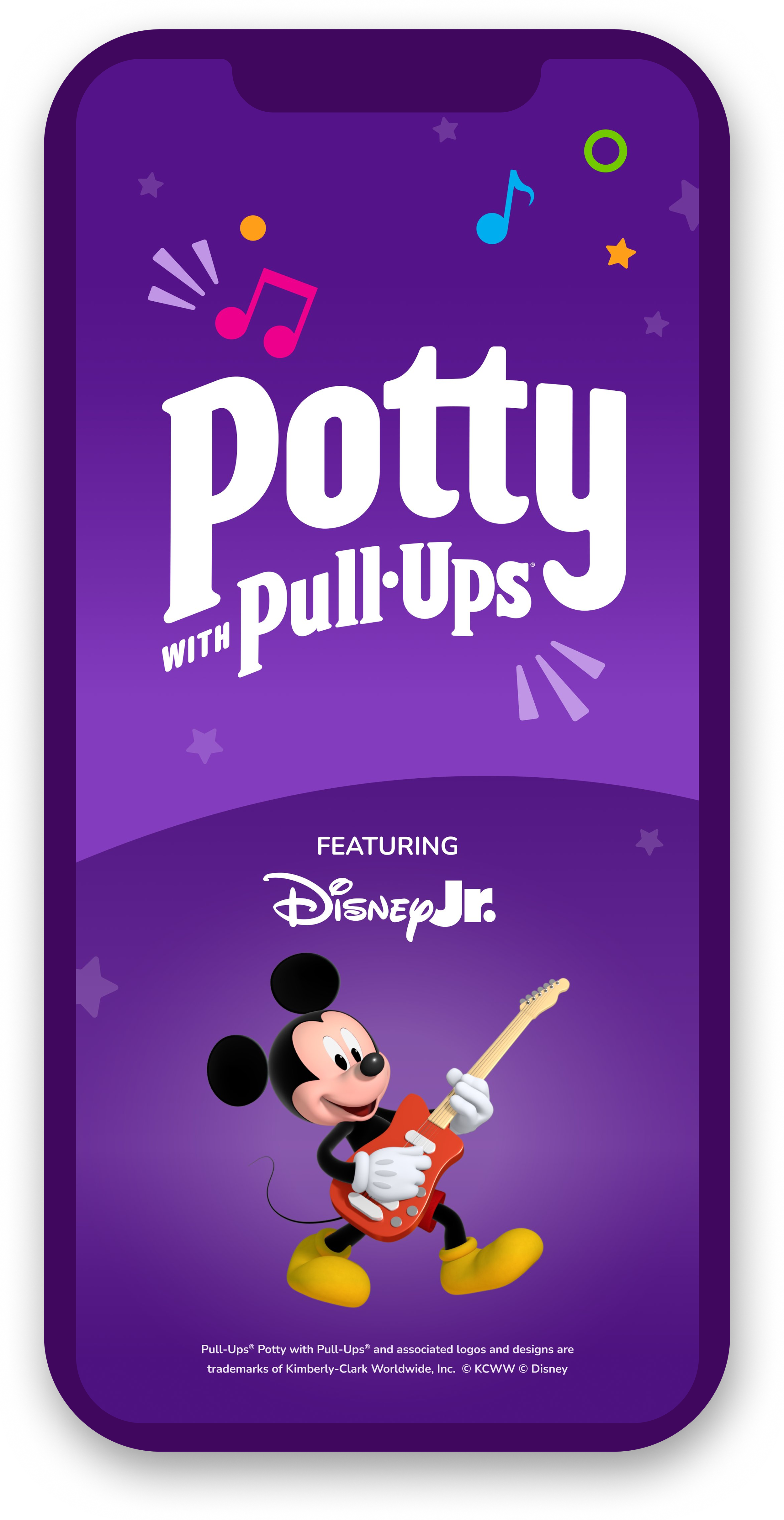
Potty with Pull-Ups
featuring Disney Jr.
The Caregiver’s Experience
Potty training education and personalized support, designed to guide caregivers through one of the toughest stretches of early parenthood.
4.7 Star App Rating
✳︎
80% of Parents Report Reduced Stress
✳︎
100K Downloads in 5 Months (12 month goal)
✳︎
77% of Downloads Regularly Engage
✳︎
4.7 Star App Rating ✳︎ 80% of Parents Report Reduced Stress ✳︎ 100K Downloads in 5 Months (12 month goal) ✳︎ 77% of Downloads Regularly Engage ✳︎
My Role
Senior UX Designer and UX Strategy
My Role Overview
Pull-Ups had a body of pediatric expertise and no clear way to put it in caregivers' hands. I led IA and wireframing for a milestone-based app that translates everyday potty events into visible progress — and helped build the tracking logic behind it.
Project Timeline
Spring 2023 - Summer 2025
Tools
Figma
Figjam
Monday.com
What was the Business Challenge?
The potty training pants category and Pull-Ups market share decreased over the past few years due to “online experts” promoting other potty training techniques.
Pull-Ups wanted us to re-establish their potty training expertise with an app.
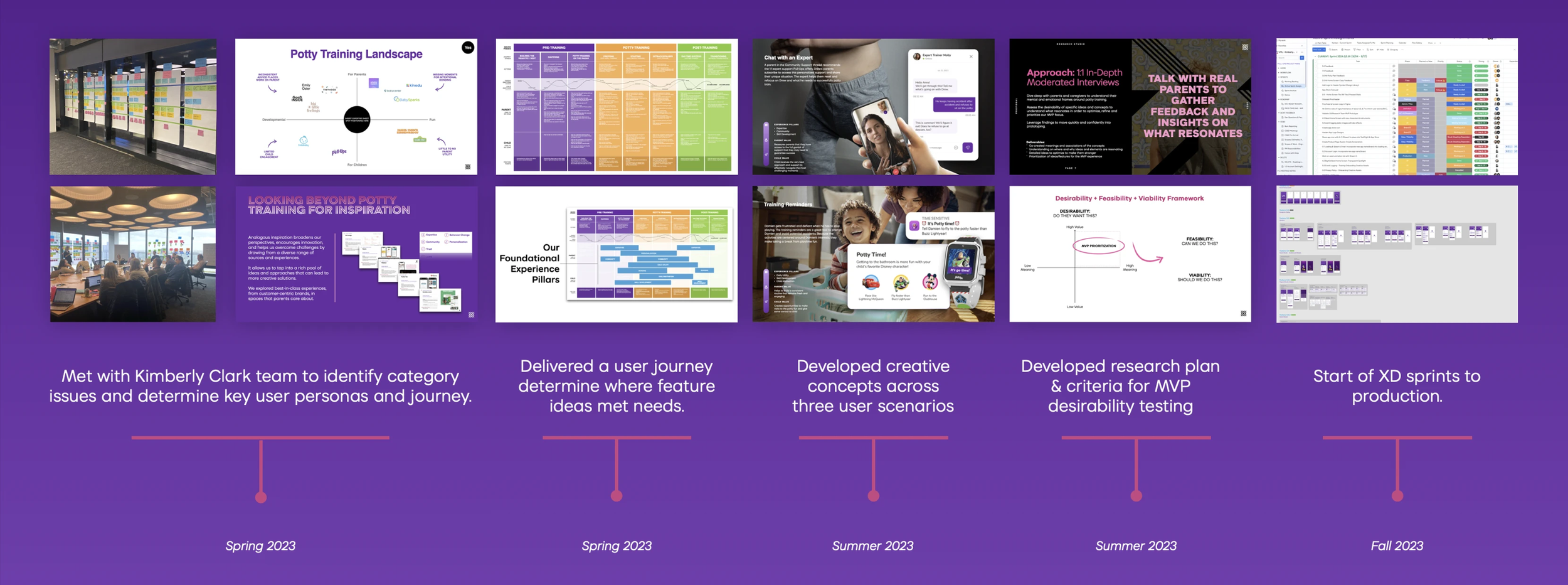
We Jumped in to Research
Our Discoveries
Parents have needs that go beyond the product. They crave education, support and ability to find what works for their child and unique situation.
How We Solved the Problem
Empower Parents
Educate caregivers on developmental methods
Learn BIG KID® Skills
Practice and track skills needed to master potty training
Designing for Caregivers
To empower and guide parents on every step of this journey, we developed 5 features.
The Readiness Quiz
The Potty Plan
Event Tracking
The Dashboard (Homescreen)
Notifications
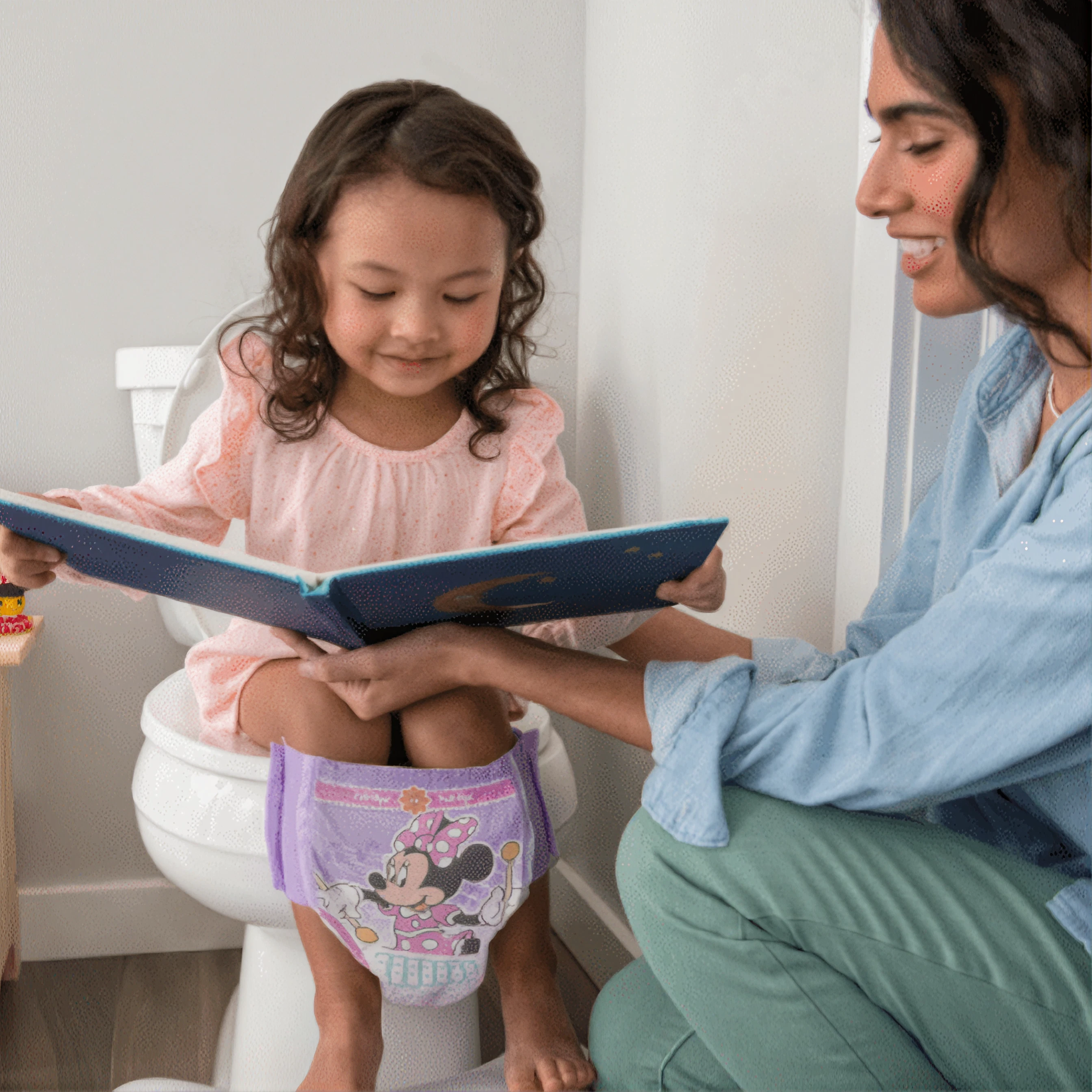
The Readiness Quiz
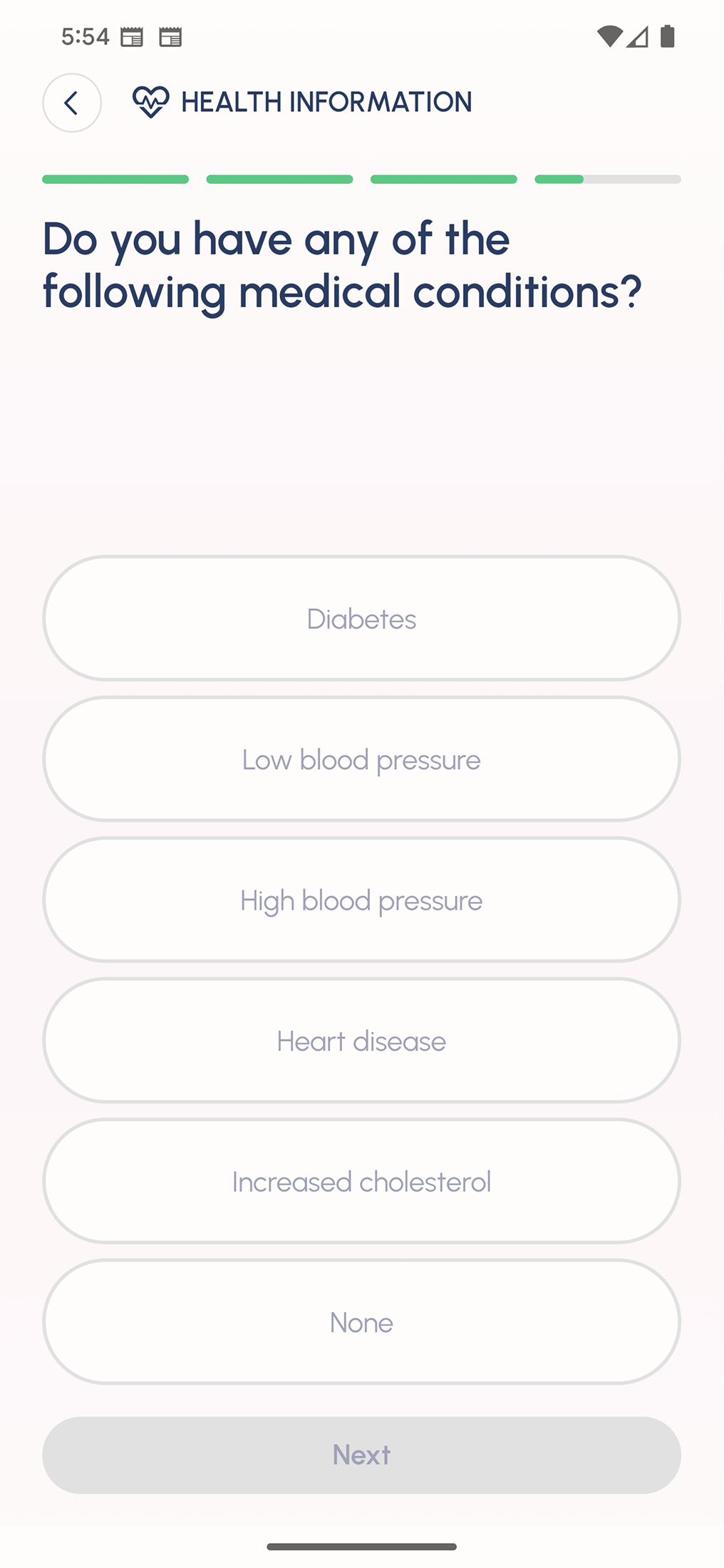
Most parents do not know when there child is ready to potty train. After researching onboarding experiences and user testing, we developed a quiz to assess readiness, easing confusion for the caregiver.
Pull-Ups had an existing readiness quiz they wanted to keep — an important one, since starting too early can actually set a child's progress back. We saw room to improve it, so we researched best-in-class onboarding experiences, rewrote the copy, and redesigned the experience to be clean, simple, and fast.
The Potty Plan
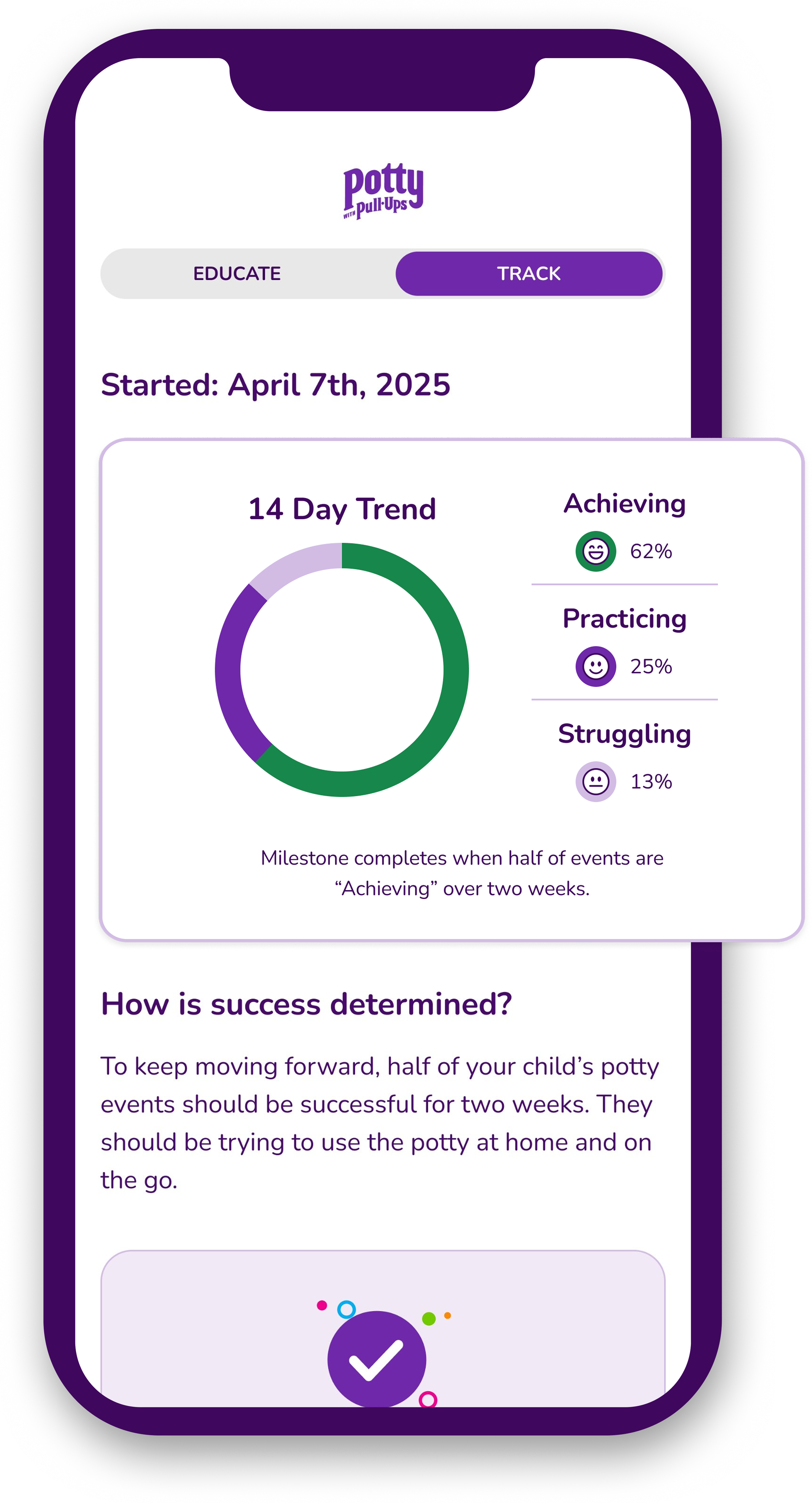
Working with pediatric experts, we identified the 7 milestones every child needs to reach to be potty trained. The Potty Plan helps caregivers learn each skill, track their child's progress, and get personalized support along the way.
The Potty Plan is the heart of the app and the potty training journey for caregivers. Working with experts and heavily researching potty training, we identified the 7 milestones and separated potty training into
3 phases-
Pre Training: Readiness Quiz and completing the Child Profile
Training: The 7 milestones and their completion progress
More to Learn: Mastering the 7 milestones for 2 weeks to officially be potty trained.
We wanted one place where parents could track their child's progress, learn milestone skills, and take ownership of the journey. With that much content to organize, we researched and wireframed multiple approaches to communicating milestones and progress. Because milestone progress is driven by event tracking, we designed visuals that show caregivers exactly how each potty event moves the needle — then layered in personalized support articles that meet them where they are.
Find out why Mickey and his pals are paired to milestones!
Event Tracking
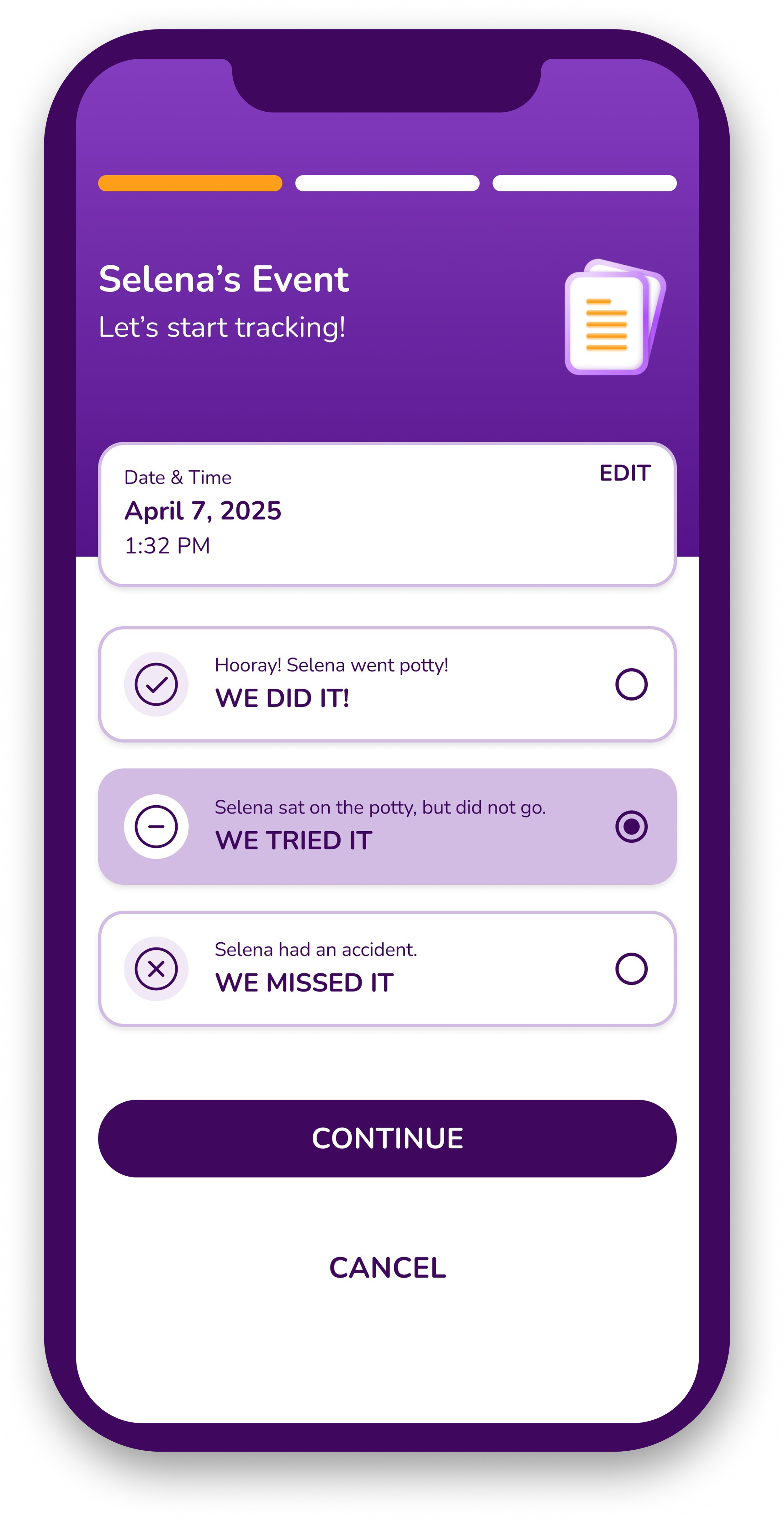
Event tracking was the app's most complex challenge, and it ran in two directions at once. The interface had to make logging an event effortless — fast enough that a caregiver would actually do it in the moment. Underneath it, we built the logic connecting each event to the seven milestones, so a single tap in the bathroom became measurable progress in the plan.
Event Tracking Logic
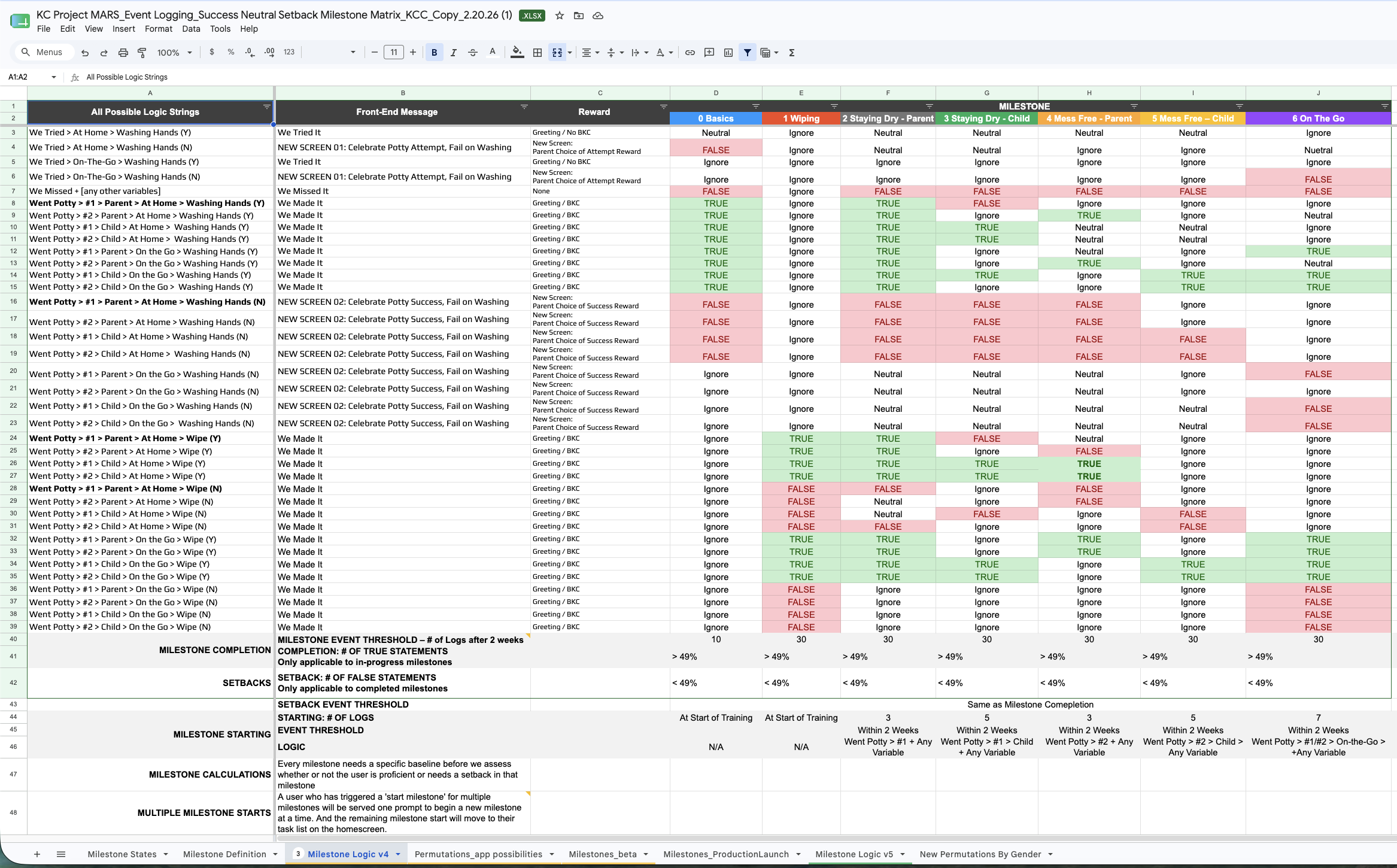
We designed the logging questions to feed milestone progression directly. Every event is captured as We Made It, We Missed It, or We Tried It, alongside the skills practiced during the trip — wiping, washing hands — each tied to the milestone it supports. Attempts are logged but weighted neutrally, so a child who tries and doesn't make it holds their ground rather than losing it. On the back end, we built the logic that evaluates success rates across those events to determine when a milestone is complete, when a child is ready for the next, and when a pattern of misses signals a setback. The result is a system that adapts to a child's real progress instead of a fixed timeline.
Event Tracking Logic
Event Tracking Design
Caregivers needed to log an event in seconds, often one-handed and mid-bathroom. We A/B tested a single dynamic screen against a straightforward list of tap-through questions, and users favored the list — a result that surprised us, since the dynamic version looked more efficient on paper. We paired it with a summary page confirming what was captured and the option to edit any event afterward, so a mistaken tap never turns into inaccurate milestone progress.
Event Tracking Design
The Dashboard (Homescreen)
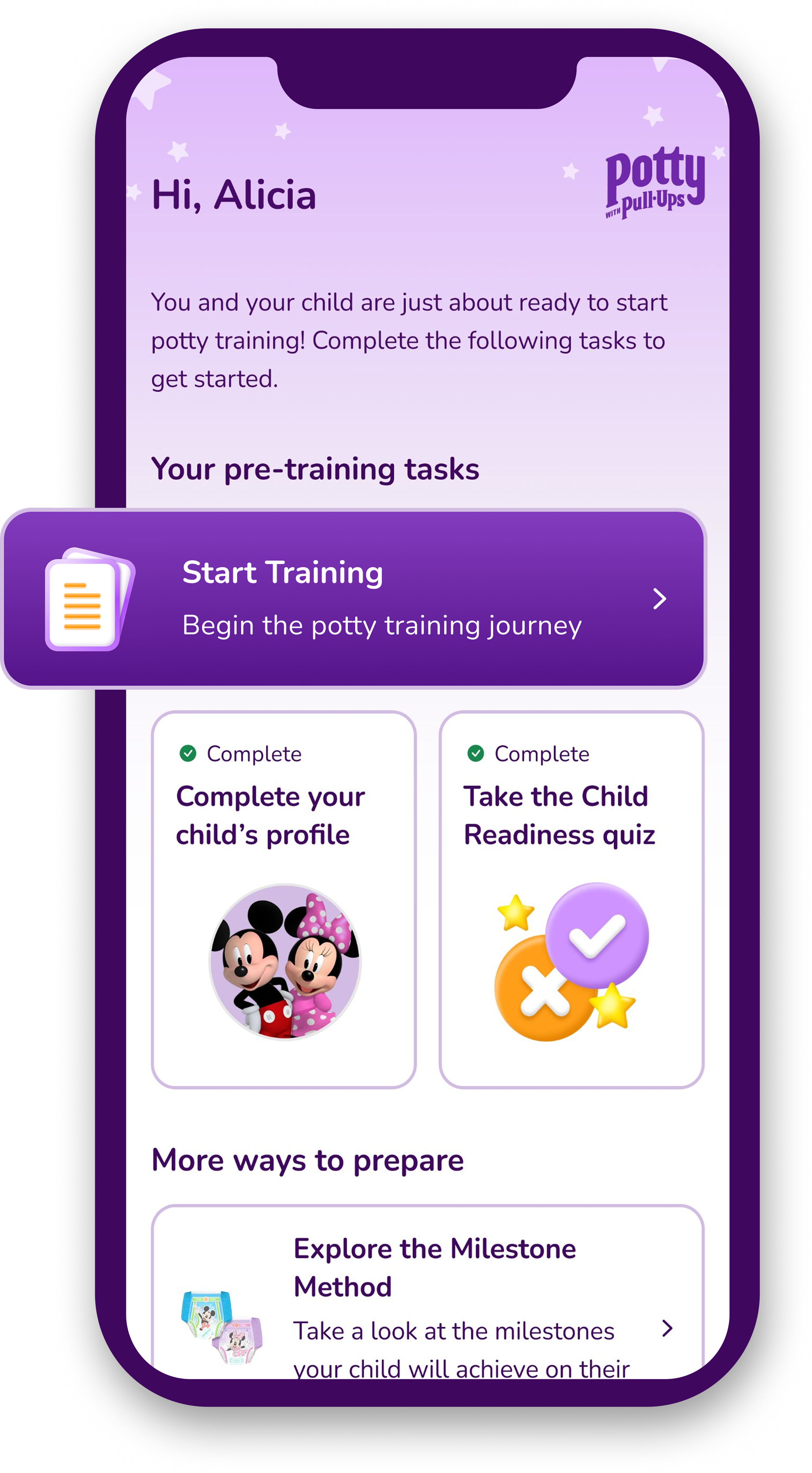
We designed the homescreen to show caregivers where their child stands the moment they open the app, then rebuilt it for every phase of training. During the Training Phase, a milestone progression visual anchors the screen, the day's logged events sit below it, and notifications speak to both users — wins to celebrate with the child, action items to guide the parent.
A personalized greeting welcomes the caregiver in, followed by a visual for each milestone and its current status. An event overview shows everything logged that day, tying daily activity to the longer arc of milestone progress, and personalized support articles surface guidance relevant to where they actually are. Most importantly, the screen isn't fixed. In pretraining, it shows caregivers the tasks they need to complete before training can begin; in More to Learn, that same space becomes a weekly progress view. The dashboard doesn't just report where a family is — it changes shape to meet them there.
Notifications
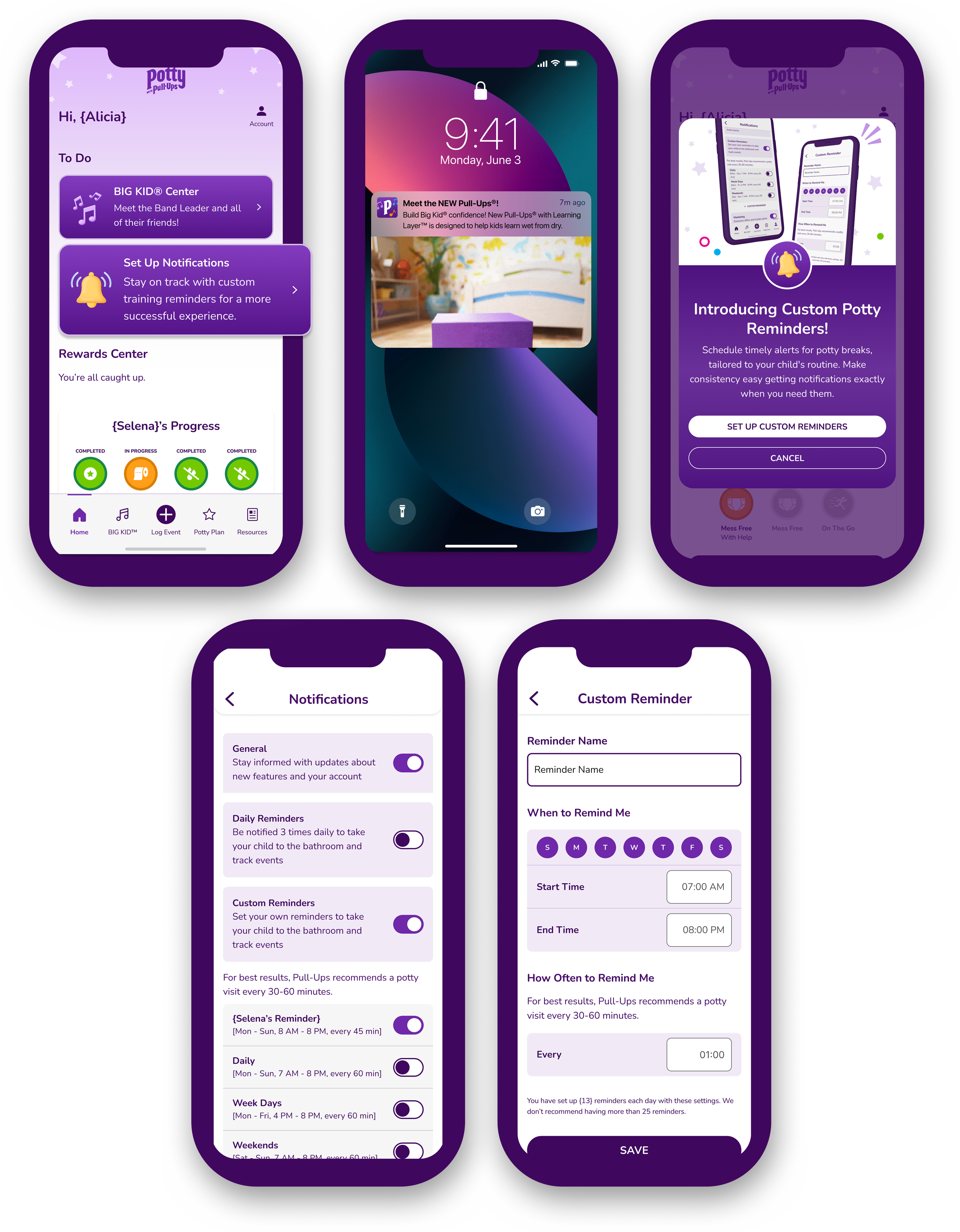
Notifications came out of a practical problem — caregivers can't remember to do it all. We designed notifications to carry part of that load — reminders to take their child to the bathroom, to log the events that follow, and to celebrate the wins along the way.
The pediatric experts we partnered with set a clear cadence: a child needs to try the bathroom every 30 minutes to an hour to build the habit and avoid accidents. We built caregiver notifications around that interval, pairing bathroom prompts with reminders to log the event afterward so tracking stays accurate. Child-focused notifications remind caregivers to reward a positive potty event while it's still fresh, reinforcing the behavior at the moment it matters most. Every type is customizable — which reminders arrive and what time of day — so families build a system that fits their routine rather than fighting it, and standard app updates sit alongside them in the same settings.

Less Stress. More Success.
Downloads: Over 71,000 downloads, achieving 93% of its Year 1 goal in just a few months.
Cost Per Acquisition (CPA): A highly efficient ~$5.30, significantly below the target of $10.
App Store Rating: A strong 4.7 out of 5 on the Apple App Store
Engagement: Users are highly engaged, averaging 3 minutes and 50 seconds per session, surpassing the 1–3-minute target.
Retention: 77% of downloads regularly engage with the app, indicating strong user satisfaction and utility.
Users reporting lower stress levels around potty-training post usage
80% of user agree the app motivates their child to potty train **(Pull-Ups first statistically significant “motivation” claim EVER!)
Pull-Ups purchase interest increased due to the app


Check Out the
BIG KID® Experience